Redesigning Localization at Scale

Senior product designer | Appcues | 2024

I redesigned the localization workflow for Appcues, a digital adoption platform. The new 1-step AI-powered editor replaced a broken manual process and protected $1.4M in at-risk revenue.

Mobile Tooltips
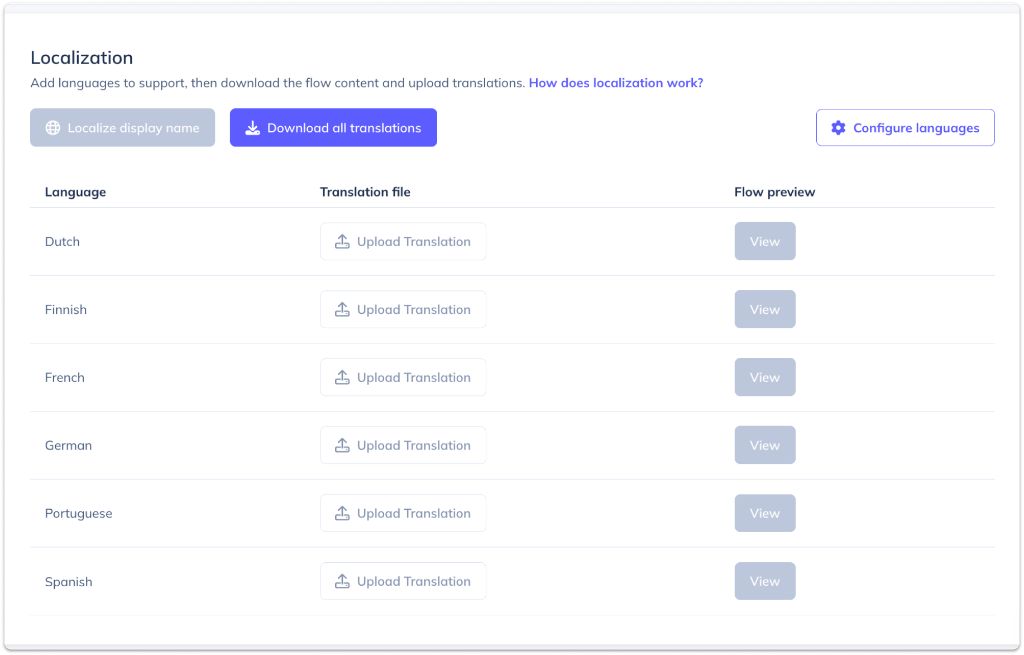
Old CSV upload interface .CSV upload table for web localization, not found in the visual editor

The Problem

Appcues' translation feature was driving enterprise customers away. Users had to download CSVs, manually translate, and re-upload for each language. No edits allowed afterward. The workflow didn't support images, rich text, or right-to-left languages.

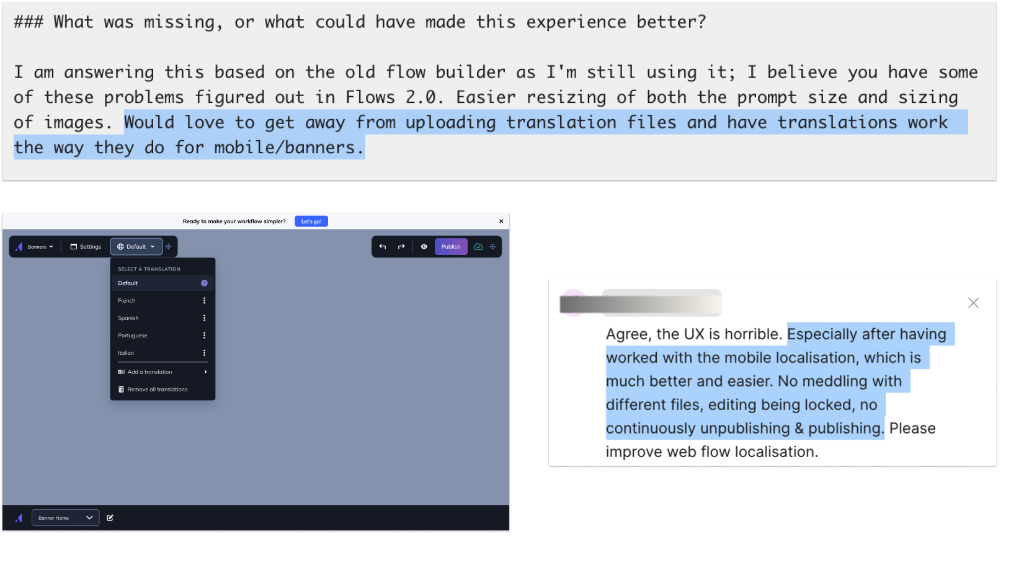
Over 25% of accounts used localization, representing $1.4M in churn risk. One enterprise customer told us: "Localization takes too long. It's also frustrating that they cannot be edited once they've been localized."
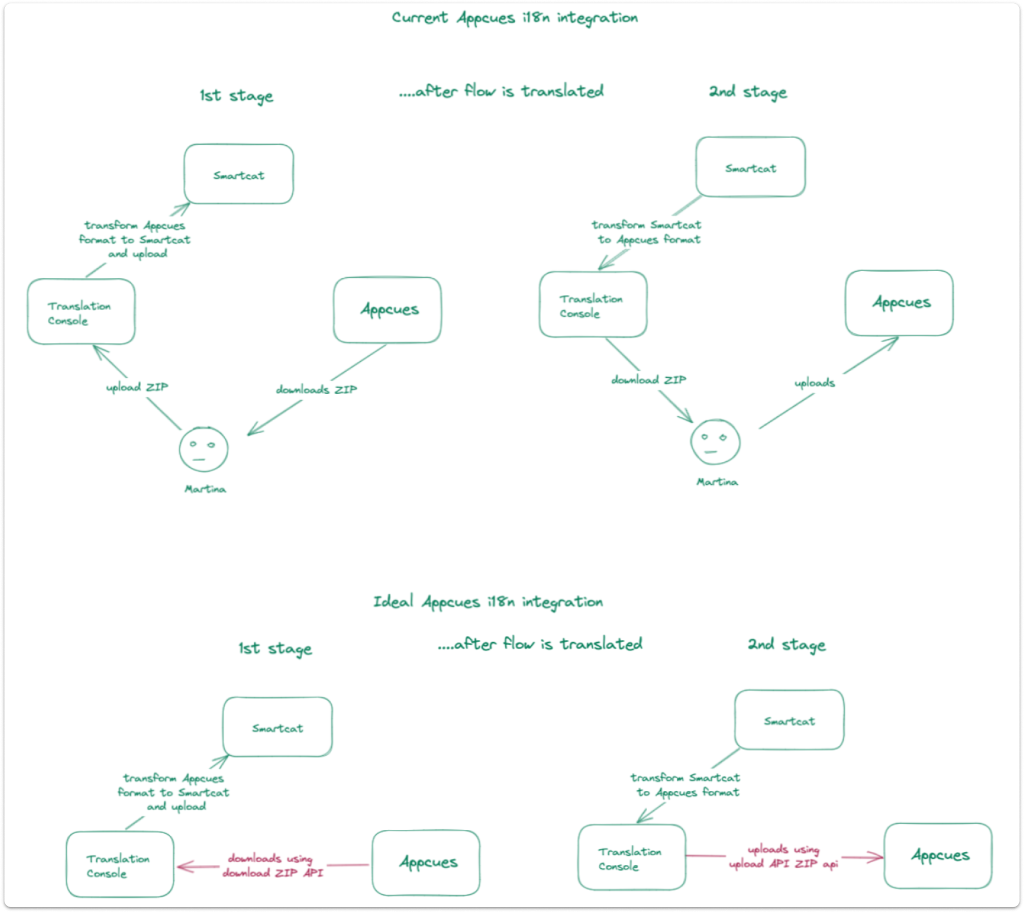
User workflow diagram One customer’s workflow, existing (top) and ideal (bottom)

Research

I interviewed dozens of prospects and ran usability tests with customers. The biggest insight: users work iteratively and need to edit after translating.

They wanted to work with industry-standard file formats, AI translation options, and flexibility to mix automated and manual approaches. They often thought about translation one language at a time, not always in bulk.

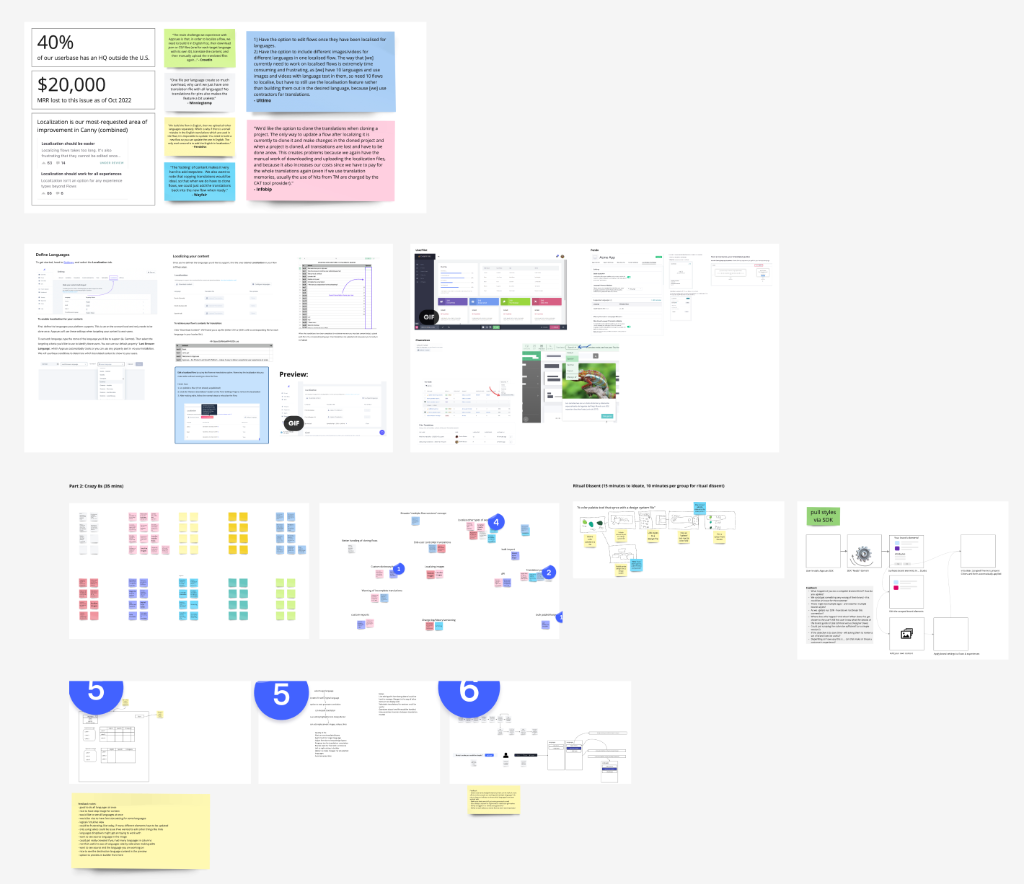
Research synthesis and planning Research synthesis and design thinking exercises

Planning and ideating

The team's product manager and I gathered all of our research insights from interviews, our feedback tool, and CRM data that we had compiled and led a series of synthesis and design thinking workshops with our engineering team.

These sessions helped us explore different architectural approaches and user journeys, focusing on how to integrate an ideal localization workflow seamlessly into the existing editor experience. Very importantly, these exercises helped to generate buy-in and excitement about the project among the team.

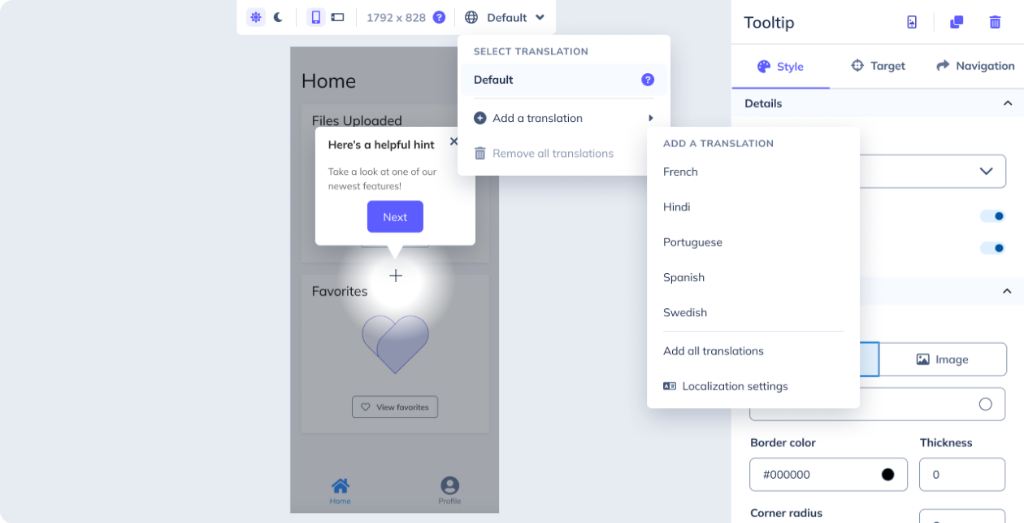
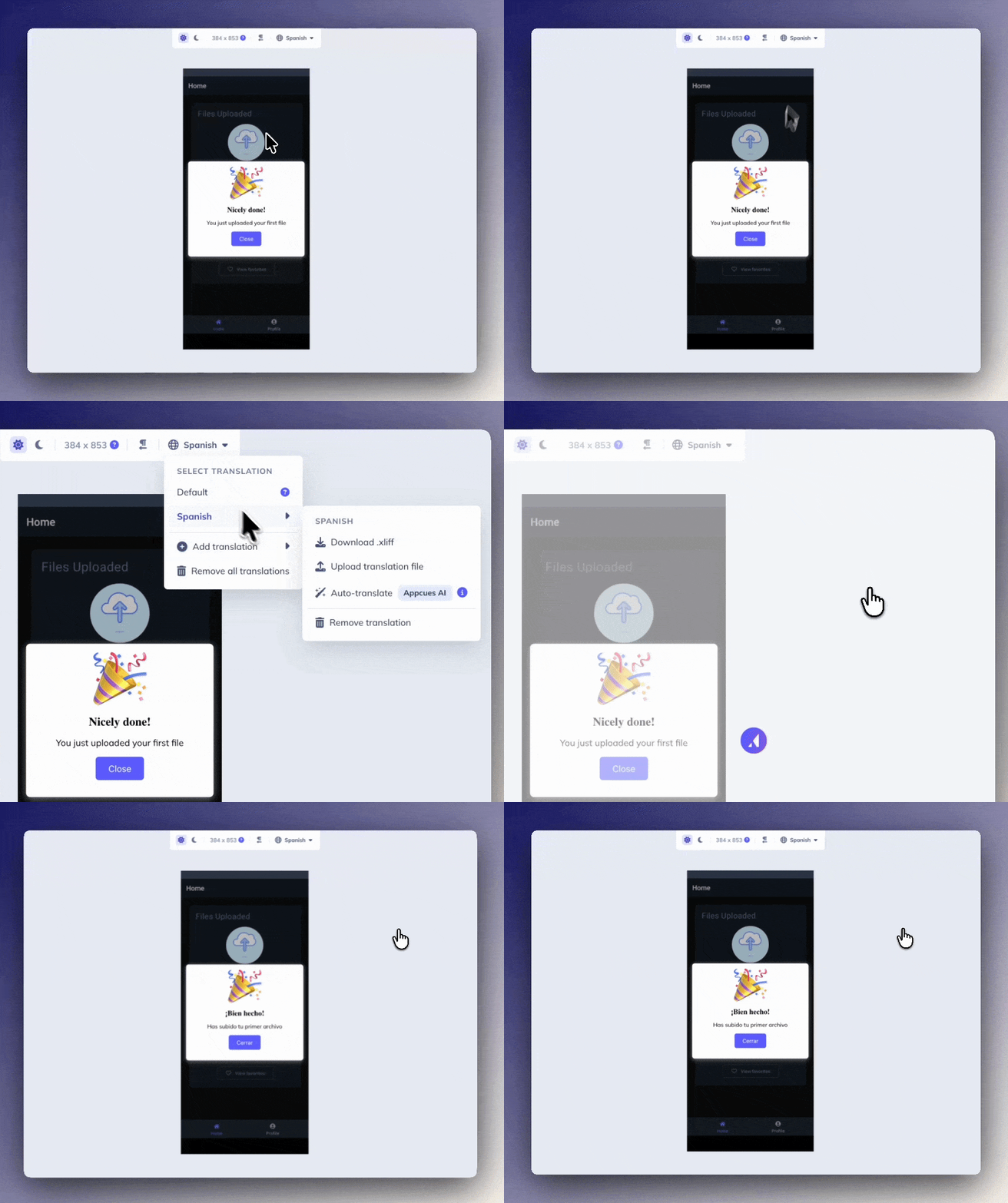
Expanded menu options for localization Expanded menu options for localization.

The Solution

I ported the localization experience from a separate table, directly into the visual editor. Localization now happens in-situ, just how users expect it. Users can now edit content anytime, use one-click AI translation or import standard files, and localize images and rich text in the visual editor.

It supports right-to-left languages and lets users make quick fixes without starting over. What took minutes or even hours now takes seconds.

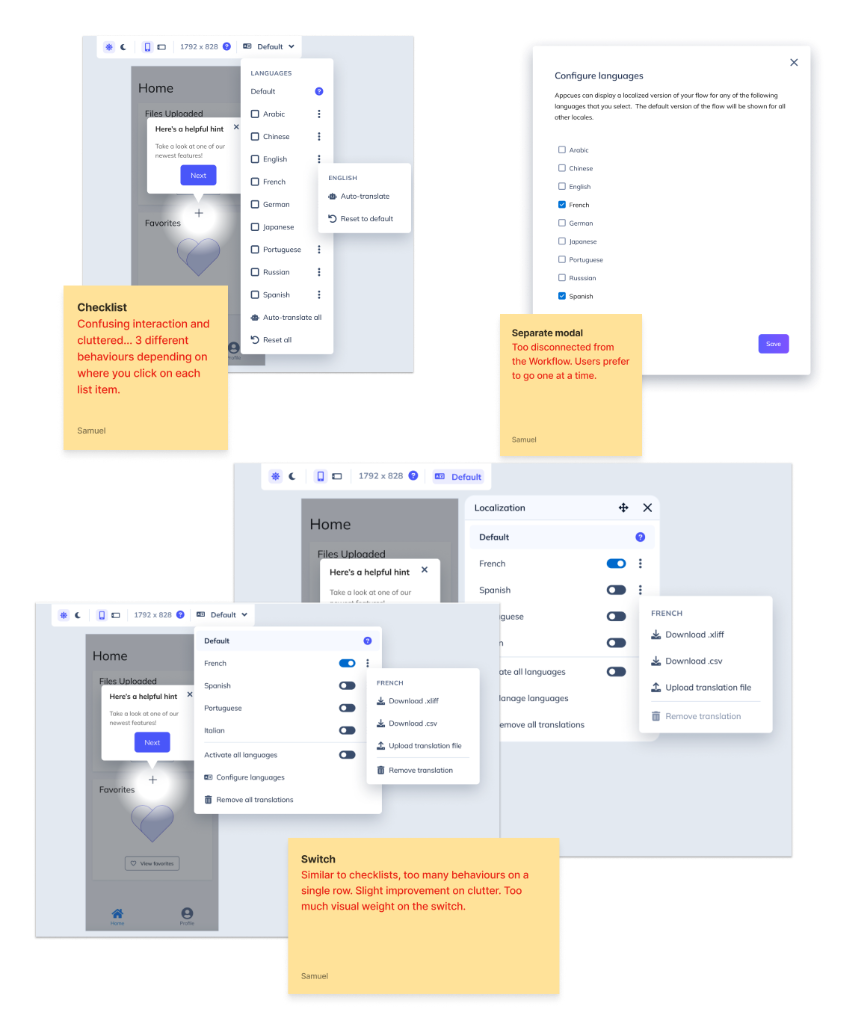
UI iterations for language activation

Design Process: Language Activation

The first challenge was how users select languages to translate. I tested three options: a checklist (too many click targets), toggle switches (too much visual weight), and a sub-menu.

The sub-menu won in usability testing because users could activate a language and start editing in one click.

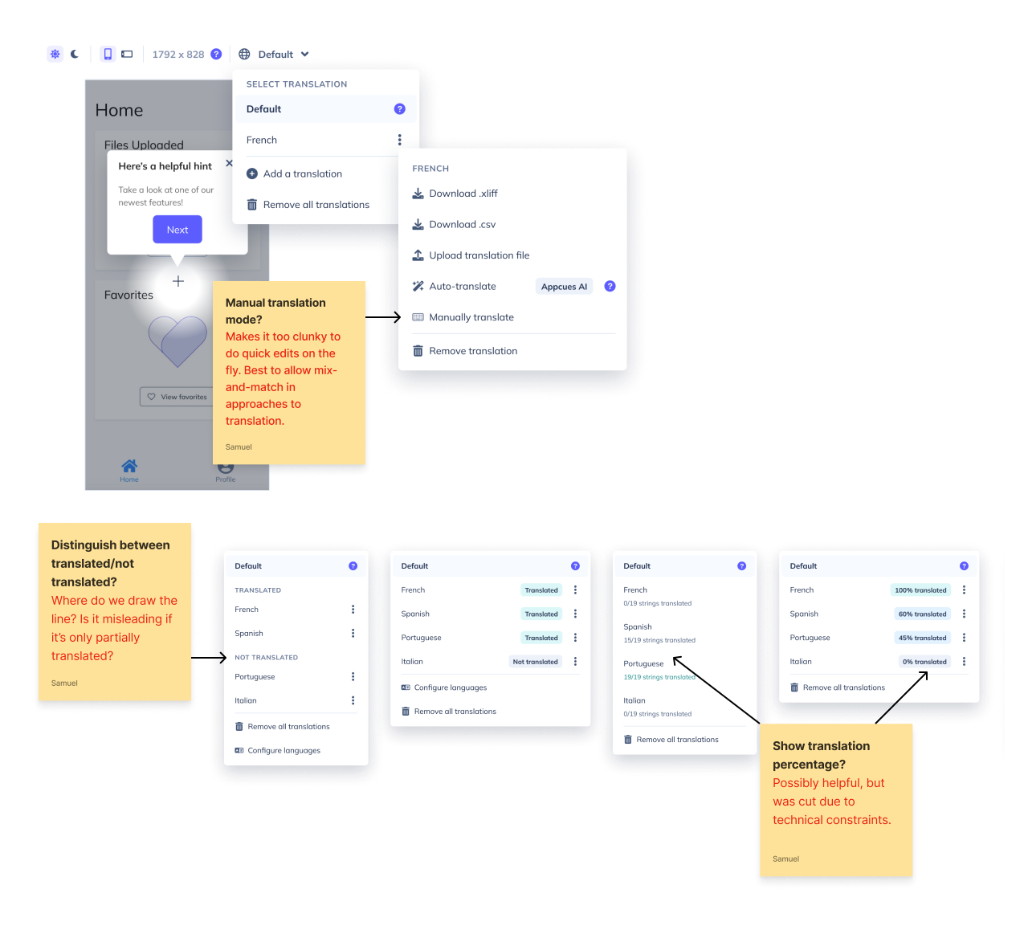
Final translation editor interface

Design Process: Translation Interface

I explored translation percentages, separate manual vs. AI modes, and status indicators. Testing showed users wanted flexibility, not structure.

The final design locks content per translation to prevent accidents but makes mistakes easy to fix. Users can translate with AI, import files, or edit directly.

Customer success quotes and metrics

Impact

Mobile localization launched to immediate customer adoption.

Multiple enterprise customers asked for the same experience on web, so as of 2026, this pattern is being scaled to all web features.

I observed that one-at-a-time workflows can beat bulk operations when they match how users think about a task. Most importantly, fixing friction for power users has outsized impact on the bottom line.